Seedream 5.0 Pro
ByteDance Seed's professional multimodal image model focuses on dense information design, precision editing, realistic detail, and multilingual visual creation.
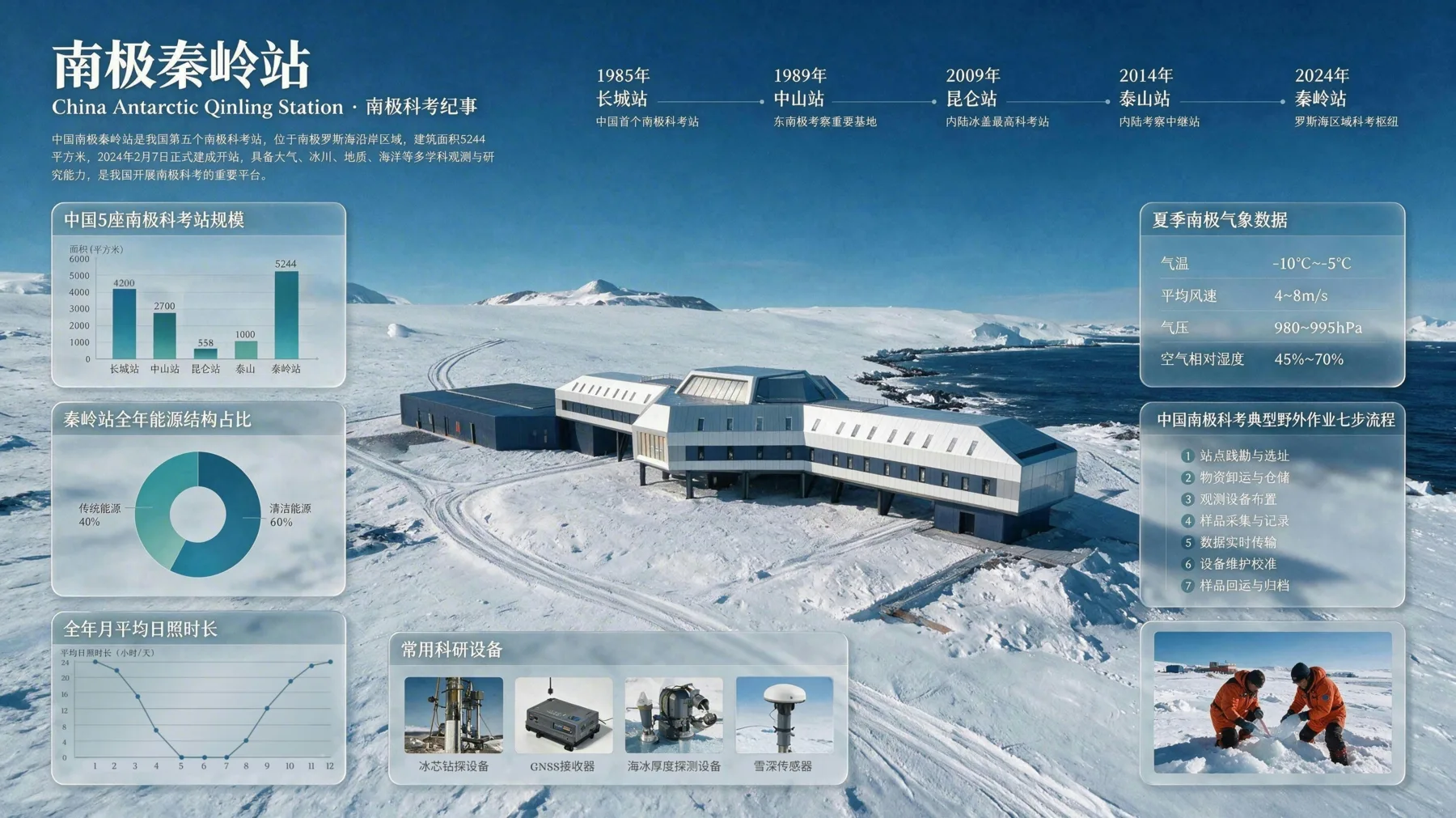
Official Seedream 5.0 Pro example combining information hierarchy, illustration, maps, and rendered text.
Released July 8, 2026
Generation and interactive editing
Multilingual design emphasis
1K/2K and reference-image controls in Studio
Capability check
What ByteDance reports and what Panify supports
The left column summarizes official launch material; the right column distinguishes Panify Studio configuration from production verification.
| Capability | Official information | Panify status |
|---|---|---|
| Inputs and tasks | Multimodal image creation with generation, references, and interactive editing | Text and up to 10 reference images configured |
| Information design | Dense infographics, diagrams, layouts, and text-heavy visuals | 1K/2K PNG/JPEG controls configured |
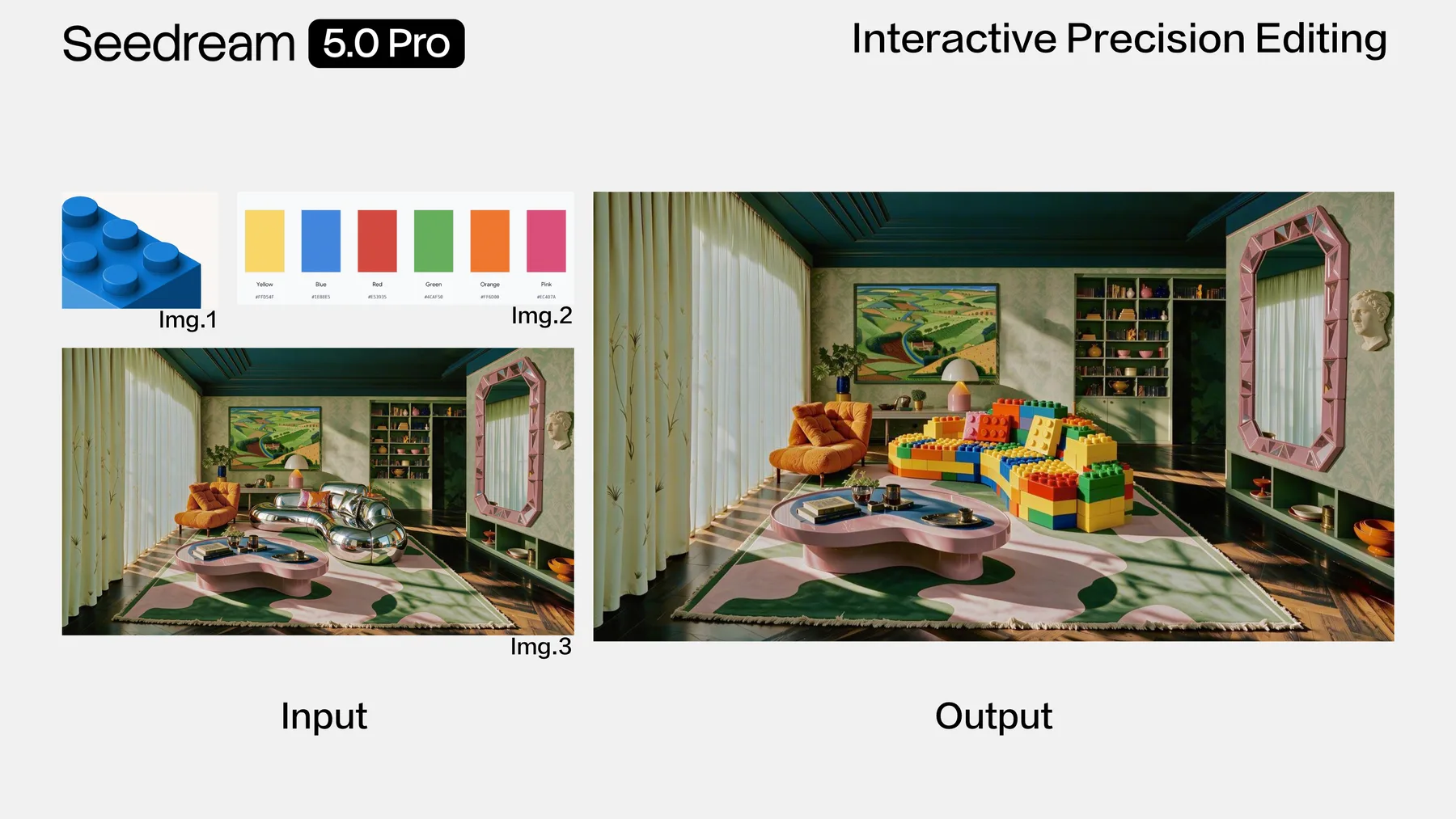
| Precision editing | Point, lasso, sketch, color, material, layer, and multi-image workflows are described | Reference images configured; regional and layer tools not exposed |
| Languages | Native prompting and rendered text across more than ten commonly used languages | Prompt input available |
Official showcase
Design, editing, and realism examples
Images from ByteDance Seed's launch article illustrate the capability claims discussed on this page.

Dense product UI
Official launch example for structured layouts, product imagery, labels, and interface components.
Targeted material editing
Official example of localized material and color changes that preserve the wider composition.
Realistic image generation
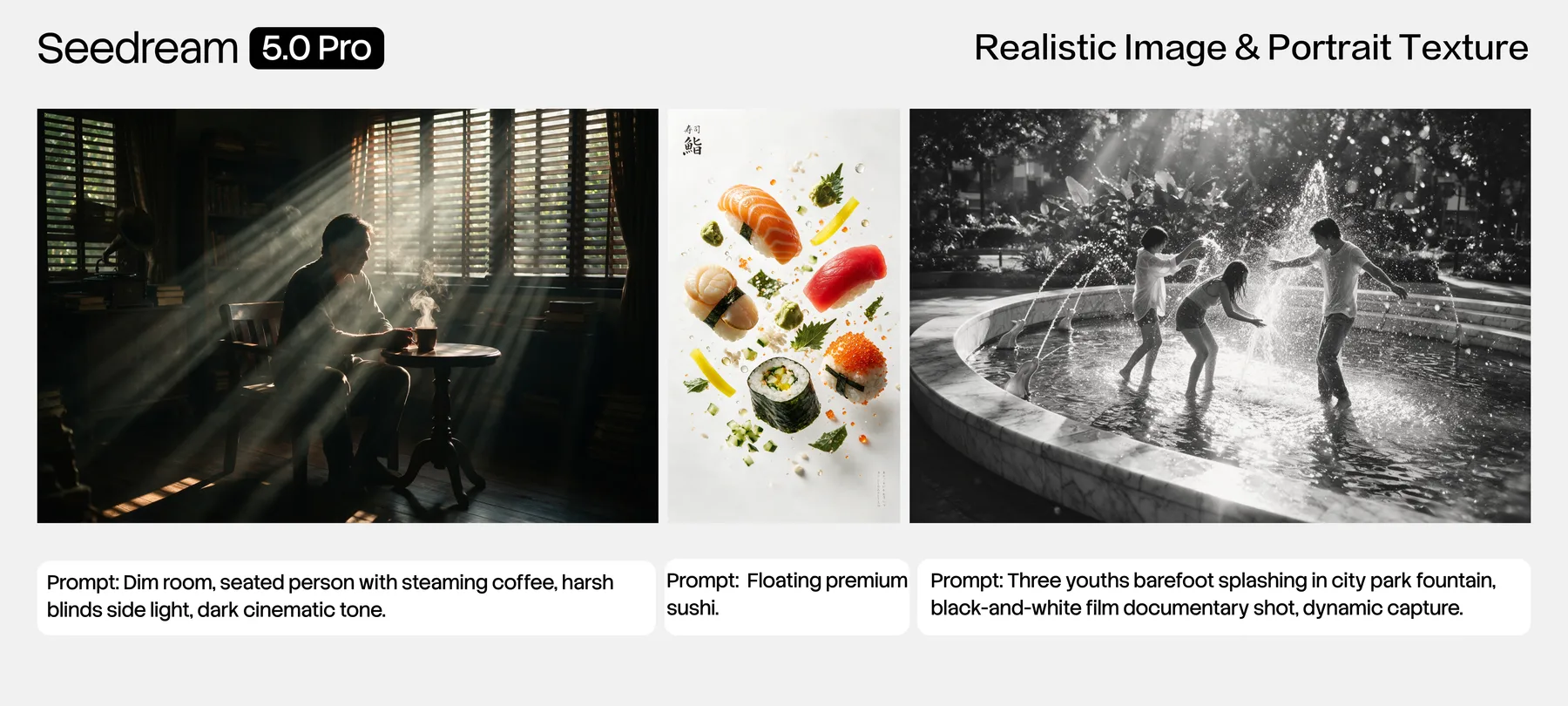
Official examples highlighting natural light, material detail, skin texture, and cinematic scenes.
Creative directions
Where 5.0 Pro is designed to help
Use these as creative directions. Studio offers text and reference-image modes with 1K/2K PNG/JPEG controls; check the selected settings and credit quote before generating.
Turn structured facts into a clear infographic with charts, labels, and a deliberate reading order.
Localize a poster while preserving hierarchy, typography, and region-specific visual cues.
Refine a selected region by changing color, material, object placement, or composition.
Build realistic commercial imagery with controlled lighting, materials, skin detail, and reflections.
Prompt patterns
Prompts for design-led evaluation
State the deliverable, information hierarchy, visual system, exact text, and editing constraints.
Evaluation workflow
How to test it responsibly
- 1
Define the visual deliverable and list every fact or exact text string that must remain correct.
- 2
Choose the official Seedream product surface or a provider that explicitly identifies the model version.
- 3
Generate or edit, then inspect typography, factual content, object relationships, and localized details.
- 4
Do not move the asset into production until usage rights, endpoint behavior, and repeatability are confirmed.
Limits and status
What this guide does not promise
- ByteDance notes room for improvement in fine-grained text rendering and pixel-level editing consistency.
- Official interactive controls may depend on a particular product UI and may not map to every API provider.
- Studio calculates the credit quote from the selected output and reference-image inputs. Do not assume a fixed one-credit price or that every configured option has been verified in production.
- Reference-image controls are configured in Studio; gateway reliability and the behavior of each input combination still need production verification.
Seedream 5.0 Pro FAQ
Practical questions
Create an image with Seedream 5.0 Pro
Open the configured text or reference-image workflow, choose the output settings, and review the credit cost before generation.